I am not going to pretend that these 23 things have been all fun and games. However, I did gain some very valuable knowledge about resources that I would have never even known existed. Some of my favorites were: Flickr, GoogleCalendar, Remember the Milk to-do lists, Animoto, GoogleDocs, and LiveBinder. These sites are ones that I can definitely see myself continuing to use throughout my college and teaching career.
I don't know that this exercise has changed my life-long goals, but maybe it has made me more organized (if that is possible) and shown me resources to keep me entertained and to use in the classroom. I really wasn't expecting to find anything that I would take with me from this activity. However, I really like Flickr and will definitely use it for future presentations. I also really like Animoto and might also use it for an assignment. LiveBinder was my absolute favorite site because it has so many resources all in one place! I will definitely be creating binders for every class and compiling lessons and activities for my students.
I think the 23 things are a good way to learn about Web 2.0 tools because it is so interactive. It is better than simply reading articles and responding to them. Most people learn better with hands-on activities, and I think this exercise is the best way to address these topics. I can't think of anyway to improve it, except maybe to reduce it? Ha, that's probably just because I'm super busy and finding time to blog was hard.
I will use many of these resources in my future classroom, and I feel that simply completing this exercise has made me more technology savvy and more willing to explore new things. Before, I would have never even tried many of these websites, and now I love going to Google and finding new things to discover that could be beneficial in the classroom. And I think that was the object of this assignment.
I will probably subscribe to an RSS feed of a Web 2.0 blog or website or something so when I am in the classroom I can keep up with ever-changing technology. Lord knows that by the time I become a teacher, some of these things may be obsolete!
With love,
KBearden:]
Monday, March 28, 2011

Thing 23: Creative Commons
Okay, I'm not going to lie. I have never even thought about the fact that the picture I download from Google Images into my powerpoint could be copyrighted. That thought never even crossed my mind until this class. I guess I thought since it was on the internet, it was fair game. Looks like I was wrong. I'm not going to say that this knowledge of copyrights and Creative Commons is going to stop me from using pictures or videos without permission, but I might think twice about it. I will try to consciously choose to use websites that I know are not copyrighted, like ones specifically for teachers that we talked about in class.

This 23 Things activity was not created at Austin Peay. It was actually created for librarians, but since they have a Creative Commons license, anyone can take the idea and modify to fit their curriculum.
I think Creative Commons is a good idea, because if someone wants to share their own work, why shouldn't they be able to? Restricting what a person can do with their own work is almost as bad as stealing it from them. I think it is important to teach students the significance of plagiarism and copyrights and make an intervention at a young age. Plagiarism easily can become a habit, so it is up to us as teachers to take a stand and make a difference. Plagiarism helps no one, especially not the student.
KBearden:]

This 23 Things activity was not created at Austin Peay. It was actually created for librarians, but since they have a Creative Commons license, anyone can take the idea and modify to fit their curriculum.
I think Creative Commons is a good idea, because if someone wants to share their own work, why shouldn't they be able to? Restricting what a person can do with their own work is almost as bad as stealing it from them. I think it is important to teach students the significance of plagiarism and copyrights and make an intervention at a young age. Plagiarism easily can become a habit, so it is up to us as teachers to take a stand and make a difference. Plagiarism helps no one, especially not the student.
KBearden:]
Thing 22: LiveBinder
WHERE WAS THIS WHEN I WAS CREATING MY UNIT PLAN??? Seriously, I created a binder called Social Studies Lessons and there was an option to automatically fill the binder by a Google search. So I decided to click on it just to see what it would turn up. I didn't really expect much, because you never know what you're going to get with Google. So I typed in "2nd grade social studies lessons" in the search box and clicked create binder. It came up with 8, did you see that? 8 tabs of GREAT websites of social studies lessons. Instantly. I seriously stared at the page in amazement for about 30 seconds. Because whenever I was trying to create my unit plan for 3070, I tried to use Google, but usually came up empty-handed. So I don't know if LiveBinder and Google have a special arrangement or what, but I really wish I had known about this wonderful resource about three weeks ago. I guess that's what I get for procrastinating. Ha! Here is my wonderful binder of resources that I will definitely be using in creating my lesson plans:
![]()
![]()
![]()
Social Studies Lessons
For my other binders, I decided to be more creative and choose something fun. I named my second binder, Games for Students. Again, I used the Google search, because in two seconds it can find more websites than I could probably find in two hours and all of them are good. I simply typed "educational games 2nd grade" in the search box and found 7 websites with fun educational games for students. Every now and then, its nice to break up the monotony of instruction and get the students involved with a game. They won't even realize they're learning.
For my other binders, I decided to be more creative and choose something fun. I named my second binder, Games for Students. Again, I used the Google search, because in two seconds it can find more websites than I could probably find in two hours and all of them are good. I simply typed "educational games 2nd grade" in the search box and found 7 websites with fun educational games for students. Every now and then, its nice to break up the monotony of instruction and get the students involved with a game. They won't even realize they're learning.
Games for Students
For my third binder, I decided to research current educational "hot topics". We have to have a folder in my 3070 class that includes articles about educational trends, so I figured I would kill two birds with one stone. This will also help me in my classroom because it is important to be knowledgeable about what is going on with the teaching profession.
For my third binder, I decided to research current educational "hot topics". We have to have a folder in my 3070 class that includes articles about educational trends, so I figured I would kill two birds with one stone. This will also help me in my classroom because it is important to be knowledgeable about what is going on with the teaching profession.
Educational Hot Topics
This website is one of my favorites that we have covered in these discovery activities. I will definitely continue to use this website during my college career and also when I enter into the classroom. This would be a great way to bundle websites together that are acceptable for students to use for research. Or you could have each student create a binder of their personal work throughout the year. The possibilities are endless and I really wish I had known about this invaluable resource earlier.
KBearden:]
This website is one of my favorites that we have covered in these discovery activities. I will definitely continue to use this website during my college career and also when I enter into the classroom. This would be a great way to bundle websites together that are acceptable for students to use for research. Or you could have each student create a binder of their personal work throughout the year. The possibilities are endless and I really wish I had known about this invaluable resource earlier.
KBearden:]
Thing 21: Animoto
Animoto was really really easy to use. I didn't think I was going to like making a video, because I am probably the least creative person you will ever meet, but it was a lot easier than I thought it was going to be. It literally only took me 5 minutes. I picked a theme from the list and then downloaded my 12 pictures straight from my Facebook page (which is where I store all of my pictures), picked a song from my iTunes library, started the song in the middle, and then clicked save and it made the video for me. Easy as pie!
I made this video as a collage of me and my boyfriend. We have been dating for three years, and I just love him more everyday. He is my best friend and I don't know what I would do without him.
Create your own video slideshow at animoto.com.
This website could be a valuable resource for a classroom. If students were doing a presentation, instead of making a powerpoint, they could find interesting pictures that related to their subject and make a video. This would eliminate the need for text, thus eliminating the student reading directly from the powerpoint which makes for a very boring presentation. Using Animoto would give students the chance to be a little more creative and actually have to plan their presentation to go along with the video. This was a fun assignment, and I know students would enjoy making their own videos and not even realize they were learning.
KBearden:]
I made this video as a collage of me and my boyfriend. We have been dating for three years, and I just love him more everyday. He is my best friend and I don't know what I would do without him.
Create your own video slideshow at animoto.com.
This website could be a valuable resource for a classroom. If students were doing a presentation, instead of making a powerpoint, they could find interesting pictures that related to their subject and make a video. This would eliminate the need for text, thus eliminating the student reading directly from the powerpoint which makes for a very boring presentation. Using Animoto would give students the chance to be a little more creative and actually have to plan their presentation to go along with the video. This was a fun assignment, and I know students would enjoy making their own videos and not even realize they were learning.
KBearden:]
Thing 20: YouTube
I love love love watching funny YouTube videos. After I clicked on the link for the Frozen Grand Central Station, I watched Improv Everywhere videos and laughed so hard.
I picked this video because even though it is silly, everyone needs a pick-me-up now and then, and this might be the highlight of their day. I thought this video was inspiring and made me feel better that people actually care and try to brighten people's day.
I like Youtube because it is really easy to find a video that interests you by just typing in a keyword. I also like that once you watch a video, the site will give you suggestions for other videos based on that video. I don't like that it can be hard to find a specific video if you don't know what it is called. Also, if you aren't careful, you can easily wind up somewhere you don't want to be. Overall though, I think Youtube is a fun site. It could be used in the classroom a number of ways. If a student is assigned a powerpoint or presentation, they could add a relatable video about their subject and add flair and interest to the presentation. I think as long as use of the site is monitored to make sure students stay on task and don't end up somewhere they shouldn't be, Youtube can be used as a teaching tool.
KBearden:]
I picked this video because even though it is silly, everyone needs a pick-me-up now and then, and this might be the highlight of their day. I thought this video was inspiring and made me feel better that people actually care and try to brighten people's day.
I like Youtube because it is really easy to find a video that interests you by just typing in a keyword. I also like that once you watch a video, the site will give you suggestions for other videos based on that video. I don't like that it can be hard to find a specific video if you don't know what it is called. Also, if you aren't careful, you can easily wind up somewhere you don't want to be. Overall though, I think Youtube is a fun site. It could be used in the classroom a number of ways. If a student is assigned a powerpoint or presentation, they could add a relatable video about their subject and add flair and interest to the presentation. I think as long as use of the site is monitored to make sure students stay on task and don't end up somewhere they shouldn't be, Youtube can be used as a teaching tool.
KBearden:]
Sunday, March 27, 2011
Thing 19: There Are Other Social Networking Sites?
Who knew there were other social networking sites other than Facebook, MySpace, and Twitter? I sure didn't. I had never even heard of any of the other sites listed. I joined the Ning network, TeacherPop and the book sharing network, What's On My Bookshelf?
I tried to put my badge from my TeacherPop on my blog, but I could not figure out how to do it and all I could get to transfer was:
Visit TeacherPop
(Actually, the badge did pop up twice, which I figured out when I viewed my blog. I have no idea how I did that.)
I did download one of my pictures from Facebook onto my page as my profile picture. I am not sure how you find people to be friends with, and I can't really figure out how to customize my page. I like the idea of TeacherPop as a social network for teachers and preservice teachers, but I don't think I will ever use it. I already have too many profiles to keep up with now.
I like the book sharing website, because I loooooove books! Have I mentioned that before? Ha! It is sad that this site is about to become obsolete with the advent of the E-book (yes, I do love my Kindle too!) However, I think it would still be fun to trade books with someone all the way across the country. The whole points system that they have set up is kind of confusing to me. But I'm sure once I played around with it, I would get used to it. I also don't know how reliable the site is, like if you actually receive the books you request or if you send someone a book if you can guarantee that you would get it back.
These sites are interesting suggestions, but I think I'll stick to my trusty old Facebook.
KBearden:]
Saturday, March 26, 2011
Thing 18: What's Social About a Computer?
If you had told someone 50 years ago that in the year 2011 the most widely used way of communicating would not be letters, actual face-to-face interaction, or even talking on the telephone, they would have looked at you like you were crazy. Even 20 years ago, when I was born, no one could have predicted the way the Internet has changed every aspect of human society. I remember when MySpace first came out. It was the rage in middle school. I would check mine every day to see if anyone had left me a comment. It was so exciting! Then MySpace was slowly pushed out by Facebook and Twitter. Does anyone even have a MySpace anymore? :] Now, I practically live on Facebook. Otherwise, how would I know what all my friends were up to or when anyone's birthday was? Ha! This activity was pretty easy because I have had a Facebook page since junior year of high school. I am not as big a fan of Twitter, but I did create an account in this class for another assignment. I like Facebook because it is really easy to use (but that might just be because I am so used to it). I don't like how easy it is for others to view your pictures and profile. You can set privacy settings, but if you aren't really careful, things can leak out. I like Twitter because there is more diversity in the postings. You can have access to celebrities, intellectuals, anyone you want. Facebook is more personal because users have to actually accept you as their friend. I don't like Twitter because I don't really understand how to use it. A lot of the tweets I have access to don't interest me. I'm sure with more use and me playing around with it, I will start to enjoy Twitter more.
It is important that educators know about social networking because it isn't going to go away. It is only going to become more prevalent in our students' lives. Pretty soon, if not already, young elementary school children will have access to these sites. I never thought about Facebook or Twitter being educational sites before now, but there are ways they could be used in the classroom. It could be fun for a teacher to set a class "fan page" on Facebook. It could be a closed group, and the teacher could invite only students and parents. Then she could post important dates, students' best work, any number of things. In this day and age, Facebook is becoming the easiest way to get ahold of parents. People usually only check their email once or twice a day, but everyone I know who has Facebook is on it throughout the day. Twitter is a good site because you can follow educators who provide links to educational websites and trends.
I'm glad that educators are finally starting to jump on the social networking trend, because I love Facebook! :]
KBearden:]
It is important that educators know about social networking because it isn't going to go away. It is only going to become more prevalent in our students' lives. Pretty soon, if not already, young elementary school children will have access to these sites. I never thought about Facebook or Twitter being educational sites before now, but there are ways they could be used in the classroom. It could be fun for a teacher to set a class "fan page" on Facebook. It could be a closed group, and the teacher could invite only students and parents. Then she could post important dates, students' best work, any number of things. In this day and age, Facebook is becoming the easiest way to get ahold of parents. People usually only check their email once or twice a day, but everyone I know who has Facebook is on it throughout the day. Twitter is a good site because you can follow educators who provide links to educational websites and trends.
I'm glad that educators are finally starting to jump on the social networking trend, because I love Facebook! :]
KBearden:]
Tuesday, March 22, 2011
Thing 17: Del.icio.us!
This website is very interesting. I love anything that has the word "social" in it, so I knew I was going to like this activity. I have heard about del.icio.us before, but I never knew what it was all about. As I was going through the discovery resources, I discovered that I already have a StumbleUpon account. I made it in high school because one of my friends introduced me to it. I used to play around on it all the time when I was bored. You can tell the site what your interests are and it will pick websites that fit you. When you get to a site you don't like, just hit the thumbs down and it will stay away from websites like that. You can "like" the site and it will be saved to your favorites, just like a bookmark.
I created my own del.icio.us webpage: KBearden3. It doesn't have much on it right now because I just started looking for websites, but it does have my two favorite online stores. I loooove to "window shop" on the internet by putting things in my wishlist and waiting a couple of weeks to see if I still am interested in the item. However, after those two weeks, I sometimes forget which sites I have wishlists on. With del.icio.us, I can just bookmark those sites under wishlist, and all of them will pop up! This will definitely save me some time searching the internet!
There are many many ways del.icio.us could be used in the classroom. For an assignment, a teacher may want students to research the Civil War. Well, the teacher could eliminate the use of poor sources by tagging credible websites and grouping them under "Civil War". This would save the teacher and students time because the students would know exactly what websites they could and couldn't use, and the teacher would not have to check every source to see if it is credible.
I will definitely continue to use del.icio.us. It is truly DELICIOUS!
KBearden:]
I created my own del.icio.us webpage: KBearden3. It doesn't have much on it right now because I just started looking for websites, but it does have my two favorite online stores. I loooove to "window shop" on the internet by putting things in my wishlist and waiting a couple of weeks to see if I still am interested in the item. However, after those two weeks, I sometimes forget which sites I have wishlists on. With del.icio.us, I can just bookmark those sites under wishlist, and all of them will pop up! This will definitely save me some time searching the internet!
There are many many ways del.icio.us could be used in the classroom. For an assignment, a teacher may want students to research the Civil War. Well, the teacher could eliminate the use of poor sources by tagging credible websites and grouping them under "Civil War". This would save the teacher and students time because the students would know exactly what websites they could and couldn't use, and the teacher would not have to check every source to see if it is credible.
I will definitely continue to use del.icio.us. It is truly DELICIOUS!
KBearden:]
Sunday, February 27, 2011
Thing 16: Productivity?
I am one of the biggest procrastinators you will ever meet. Sometimes I wish I could lock the internet to stop myself from spending endless hours on Facebook or Sporcle when I have a paper to write, a unit plan to create, a test to study for, or a technology project to finish (ha!). So when I saw that this activity was about online productivity, I was intrigued.
I already have an iGoogle homepage that I created in Thing 12, so I will just use it for this one too. I really like it because it's colorful, easy to navigate, and very very time-saving. All of my websites are in one spot. I probably won't make it my permanent homepage, but I will visit it occasionally. It has weather, Facebook, tv guide listings (for when I actually have time to watch tv), movie times, and recent news articles. This site is very useful!
I also already set up my Google Calendar, and have been receiving notifications to my email for about a week. I like this calendar because it is very easy to set up. I am a very organized person, so I like to know what's going on in my very busy life.
I LOVE to-do lists! I have to create multiple ones a week to keep my sanity. I make lists for everything, homework assignments, events I have to attend, groceries I need, everything! I usually just write them on post-it notes or whatever scrap paper I have available at the time. I really liked the Remember the Milk to-do list program. I tried to sign up for Ta-Da Lists, but for some reason it wouldn't work on my computer. But I really like the Remember the Milk one anyways. It lets you prioritize your tasks, put them in different categories, and set due dates. I will DEFINITELY be using these to organize my life!
KBearden:]
I already have an iGoogle homepage that I created in Thing 12, so I will just use it for this one too. I really like it because it's colorful, easy to navigate, and very very time-saving. All of my websites are in one spot. I probably won't make it my permanent homepage, but I will visit it occasionally. It has weather, Facebook, tv guide listings (for when I actually have time to watch tv), movie times, and recent news articles. This site is very useful!
I also already set up my Google Calendar, and have been receiving notifications to my email for about a week. I like this calendar because it is very easy to set up. I am a very organized person, so I like to know what's going on in my very busy life.
I LOVE to-do lists! I have to create multiple ones a week to keep my sanity. I make lists for everything, homework assignments, events I have to attend, groceries I need, everything! I usually just write them on post-it notes or whatever scrap paper I have available at the time. I really liked the Remember the Milk to-do list program. I tried to sign up for Ta-Da Lists, but for some reason it wouldn't work on my computer. But I really like the Remember the Milk one anyways. It lets you prioritize your tasks, put them in different categories, and set due dates. I will DEFINITELY be using these to organize my life!
KBearden:]
Thing 15: It's a Wiki World
I have ALWAYS loved Wikipedia. Even though we were never supposed to use it in school, I always went there first to get basic information and used the links to get reputable sites. I know that some of the information might be wrong, but I figure that not many people are going to take the time to type false information. Especially on a page about Patrick Henry or photosynthesis. Now, I'm sure on celebrity pages and popular articles, there probably are falsities. However, for most of the subjects I am researching, I would think that most of the information would be reliable.
My mom is a librarian, and she always talks about her wiki and sharing information with her librarian friends. I never really knew what she was talking about, so I was interested in seeing what it was all about.
I really liked the The Book Lovers wiki, because I loooove to read and I am always looking for new books to read:] I also liked the San Antonio event wiki, because it showed me how a wiki can be created for a specific event. When I get married, I could create a wiki listing places to stay, things to do, and share it with all my guests!
It took me a while to figure out how to edit the wiki, or post a new page, or whatever we were supposed to do. I eventually just posted a new page describing my Flickr experience, because that has been my favorite Thing so far. A wiki could be a good tool for the classroom. Teachers can divide students into groups and have them each create a wiki about a research topic. Students could then share information even when they weren't at school. It would be an excellent resource!
KBearden:]
My mom is a librarian, and she always talks about her wiki and sharing information with her librarian friends. I never really knew what she was talking about, so I was interested in seeing what it was all about.
I really liked the The Book Lovers wiki, because I loooove to read and I am always looking for new books to read:] I also liked the San Antonio event wiki, because it showed me how a wiki can be created for a specific event. When I get married, I could create a wiki listing places to stay, things to do, and share it with all my guests!
It took me a while to figure out how to edit the wiki, or post a new page, or whatever we were supposed to do. I eventually just posted a new page describing my Flickr experience, because that has been my favorite Thing so far. A wiki could be a good tool for the classroom. Teachers can divide students into groups and have them each create a wiki about a research topic. Students could then share information even when they weren't at school. It would be an excellent resource!
KBearden:]
Thing 14: Flowcharts and Mindmaps!

Okay, so I know the assignment was to make a flowchart, but I saw that you could make a floorplan, so I thought, hey! why not? As you can see, it didn't turn out quite as well as I expected. It was very very simple to make however. One thing I didn't like about Gliffy was that it made me sign up for a "free" premium trial. However, I really hope it doesn't start charging me or I am going to be mad! Also, it had an upgrade icon that took up the whole lower right corner of the screen. That's why my walls don't exactly match up down there because I couldn't tell what I was doing.

I don't like how this looks now, because the program will not let me post the image right. But here is a link if you want to know What to Do When Someone Steals Your Lunch! Obviously, I did not create this, it was a template on the website. But I thought it was funny, so I wanted to share it. A flowchart, like this one, shows the logical order of events.
On the other hand, a mindmap just lets you jot down ideas as they come to you and show links between ideas. It is a good way to get brainstorming!
I liked the tutorial video at MindMeister. I didn't feel like I was swimming in open water trying to create a mind map.
On the other hand, a mindmap just lets you jot down ideas as they come to you and show links between ideas. It is a good way to get brainstorming!
I liked the tutorial video at MindMeister. I didn't feel like I was swimming in open water trying to create a mind map.

These flowcharts and mind maps would be a great resource for the classroom! Students can use them for any number of projects, brainstorming for a research paper, anything! I will definitely be revisiting these sites in the future!
KBearden:]
KBearden:]
Friday, February 25, 2011
Thing 13: Online Word Processing?!
THIS IS AWESOME!!! I seriously never knew you could create documents online!
Name: Kayla
Age: 19
Birthday: March
21
Sorority: X
Ω
!

As you can see above, Zoho Writer is not as wonderful as I originally thought. While the resource itself is amazing, the process of exporting to my blog was not-so-amazing. I tried about 10 times to send the document directly to my blog: with no luck. First, I was logged in wrong, then I couldn't remember my blogger username and password. I then tried to copy the HTML code, which worked, but when I pasted it into the blog, the spacing was all messed up. So who knows?!
However, as a word processor in general, Zoho Writer is an awesome tool! I hate having to email myself a paper so I can access it in the library or to print it out in a lab. It is a hassle, and if you attach the wrong thing, you can be in big trouble. This resource lets you access your documents from any computer with internet access. This would save me a LOT of trouble! I wish I knew this tool existed before today!
I tried using Google Docs, another cool resource, but I could not for the life of me find how to post it to my blog without just copying and pasting it, which would really just be pointless. So here is the link to my document. Google Docs is really amazing too. The page layout looks almost identical to Microsoft Word, so anyone familiar with Office should be able to create a document, no problem. Another cool thing about both of these sites is that you can share your work with other people and they can review it. This would be a great tool to use in the classroom. Students working in groups could do a presentation or write a paper. Each member of the group could review the paper and save it as a version. It would be a great way to teach editing skills without wasting paper!
I liked both of the online applications. I had no idea they even existed before today, and I really wish I would have known sooner. I liked Zoho Writer better, just because it was easier to navigate. It will be hard to switch entirely from Microsoft Word to an online application, however, I feel that this is the way of the future, and I can't wait to jump onboard!
KBearden:]
Thursday, February 24, 2011
Thing 12: Google!

I set up a Google calendar because I am a serious planner. I am the girl who has a to-do list a mile long and already has the whole next month planned out. I like to know what is going on throughout my day, and this is a great tool for me, a busy college student. I have to juggle school, work, and my sorority, so all those assignments, meetings, and events are very hard to keep track of. This is a great resource because I can link it directly to my phone so I can check it at any time! I will definitely be using this calendar to plan my life:]
It's official, I am in love with my iGoogle homepage!! It has a link to every website I might ever dream of visiting, the weather, the time, youtube videos, flixter movies, tv guide listings, top news stories, a link to my Facebook news feed!, games, and comic strips. Umm, why would I ever need to even go to another website? It's all right there! I am very excited about this discovery. If I wasn't a believer in the greatness of Google before, I definitely am now!
There are many ways that these Google tools could be used in the classroom. Google Alerts could be used in a research project. Students could pick a politician or issue that is currently in the news and set up an Alert. Then, at the end of a month or so, they could compile the information and give an oral report to the class. Google calendar could be used as the classroom virtual calendar. The teacher creates it, and the students and parents have access to it. Due dates, extracurricular activities, holidays, etc., could all be listed on the calendar. It would be a great way to keep everything organized and easy to access. Google Translate could also be used in research. If a student is researching a foreign country or political figure, some articles might not be in English. But using the Translator, they could easily have access to hundreds of articles that were previously unusable.
Google is a wonderful resource and I can't wait to continue exploring!
KBearden:]
Sunday, February 20, 2011
Thing 11: More Blogs!
I am already subscribed to two or three blogs, and I am not really looking to subscribe to anymore. I have a very busy schedule, so during my free time, I like to just relax with my boyfriend or catch up on my tv shows, not participate in an activity that feels like schoolwork. I admit that some of the blogs I do read for enjoyment, but at this point in my life, I cannot commit to reading hundreds of posts or news articles a week. However, for this post, I will pretend that I am searching for blogs and feeds about education:
I used the Google Blog Search, which was okay, but I felt like it was just like a regular Google search. For instance, I typed in the word education, and about 2 million blogs popped up. Even if they said the word education one time seven years ago, their blog came up. So there was no way for me to tell which blogs were actually about education and which ones merely mentioned it.
I then tried the Topix searcher. It led me straight to the Clarksville page, which I thought was neat, but I clicked on something and somehow ended up on the personal ads of Clarksville. It was random and had nothing to do with anything I was trying to find.
Syndic8 was a very confusing site to navigate. I couldn't figure out where to type in search items and the layout of the site was very offputting. I just really didn't like it. I did somehow come across a website about hair trends in the USA. It was pretty interesting, but definitely not something I would want to subscribe to.
I really liked Technorati. The website was well organized, and it was very easy to find feeds dealing with whatever topic you were interested in. This was definitely my favorite one out of all of the searchers.
As I said before, I am not really looking for more feeds to follow. However, if I happened to come across something that really interested me, or someone recommended a feed, I would not be against subscribing. I think that will be my preferred method of finding new feeds. Not actively seeking them out, but accepting them when I come across them.
KBearden:]
Saturday, February 19, 2011
Thing 10: RSS Feeds

I have often wondered what this little orange (or blue as it is on my computer) symbol means. I always thought it looked like the internet signal, or something along those lines. I had no idea that clicking on it would mean that I could have access to all my favorite websites at one place!
This new-found knowledge is very exciting to me! I am addicted to the website, Sporcle, (you should definitely check it out!) and I was checking it three or four times a day. It has quizzes on every subject, and new quizzes are added everyday. So now that I am subscribed to the RSS feed, I will know when there are new quizzes, and I won't have to waste time going to the website when there aren't.
I also really like the blog, Gently Hew Stone. I have talked about it a lot, because it is really entertaining to read. I have been checking back on it every three days or so, but now that I am subscribed, I will instantly know whether Huston has posted a new blog or not! AWESOME!
I also subscribed to Entertainment Weekly to get my gossip fill, The Pioneer Woman's blog, and Do I Dare Disturb the Universe? 's blog. Also, I am following three of my classmate's blog, and they also show up on my GoogleReader.
This amazing technology will be very useful to me in my personal life and once I become a teacher. I can subscribe to different educational websites and stay up-to-date on current educational trends and hot topics. I can also subscribe to a news website like CNN and give my students a headline of the day. The possibilities are endless!
KBearden:]
Thing 9: Image Generators

I know that Valentine's Day is long over, however, I believe that the love expressed on this one day should be spread out over the entire year! That's why I picked this cartoon, Hopeless Romantic. It might be cheesy, but if someone asked me to be their valentine in July, I would definitely say yes!
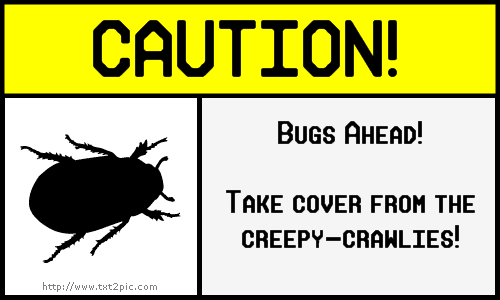
Another fact about me: I HATE BUGS!! This sign that I created on The Sign Generator is one that I wish would be posted whenever bugs were present, especially spiders! I know that would be slightly impossible, seeing as bugs are everywhere, but hey, a girl can dream!

I think this may be the cutest thing I have ever seen! I have always wanted to carve mine and my boyfriend's name in a tree, but the closest I have ever gotten is writing our names in the sand. However, the water will eventually wash away the sand, but a tree carving lasts forever. I guess chalk it back up to my romantic side. I think this is a symbol of innocent, true love:]
This activity was just a fun escape from the other hassles of learning about technology. These required no skills; even a child could create an image. In that way, this would be a good tool to use in a first- or second- grade classroom, where children may not be as advanced in their computer skills (even though most of them will probably know more about computers than I do!). It can be used for an art lesson, obviously. Or, it can be used in a Spelling or Reading lesson. The children can create their own comic strip using spelling or vocabulary words. These online image generators are a fun way to liven up the classroom, and students will love playing with them!
KBearden:]
Friday, February 11, 2011
Thing 8: Flickr and Mashups!


This is awesome! I could spend hours on these sites, creating fun images and activities.

Hello? How cool is it that you can create puzzles from any of your pictures? You can take a picture of your face and make it a puzzle. Now that is awesome!
It is amazing to me that technology exists that allows you to manipulate photos like this. There are many applications to Flickr like I mentioned in my Thing 7 post. With the photo journaling, you could extend the project to a month or even an entire year. Students could upload photos from their week: just regular photos they took, or mashups that reflect their mood and perspective on life. They could then have a written journal, describing the photos and why they decided to include them in their photo diary. This would be a good way to assess students writing skills and also to encourage students to become more reflective. Also, teachers could utilize the mashup tools to decorate their classrooms or powerpoints or really anything! Flickr is a great tool that students and teachers alike will love exploring and using inside the classroom and beyond.
I think that sharing photos on the internet can be a fun way to stay connected, and also to forge relationships with people who have common interests. However, students need to be aware that certain etiquette is expected, such as: no profanity, no vulgarity, etc. Also, if you post your photos as public domain and don't have a watermark or something on them, people can (and probably will) take your photos and pass them off as their own. It is important to safeguard your photos. There is no problem with sharing them with others, however, you did all the work, so you should receive some credit.
KBearden:]
Thing 7: Exploring Flickr
I LOVE taking pictures. I am always the one on the trip saying, "Hold on a second, I have to get a picture!" while everyone else just wants to go to lunch. However, I am extremely lazy when it comes to actually getting pictures "developed" (which is really becoming obsolete) or even just uploading them to my computer and posting them on Facebook. I know that it's as easy as popping my memory card in my USB converter thingy, but for some reason, I just procrastinate posting pictures. The point of this tidbit of information about me is that I had never used Flickr before this activity. I had sort of heard about it, but I had no idea what it was. However, as soon as I got to the Flickr homepage, I was introduced to a whole new world.
Another interesting tidbit: I love looking at pictures. Especially old or interesting ones. Every time I vist my 92-year-old great grandmother, I peruse through her old pictures that she keeps in (I swear) hundreds of shoe boxes. Even though I have seen these pictures many many times over the years, they never cease to fascinate me. That's why I was so excited to see the Smithsonian and Library of Congress collection of old photographs. There are millions of photographs dating back to the 1800's! I was in heaven! Another thing: I love to travel. However, seeing as I am a college student, I have a very limited budget. Therefore, the closest I get to traveling is looking at travel brochures. I was very intrigued by the places tab. You just type in any place in the world, and any photograph that has that tag will be available. They even have pictures of Clarksville! I can travel to the other end of the world at the click of a button. So to combine my love of travel and old photographs, the photo I decided to upload is one of Brockton, Massachusetts from 1939:

And one from Copenhagen, Denmark, circa 1890:

The one from Denmark is a Photochrom print, which is actually a photolithograph. They were used to capture images at the turn of the century. These images are fascinating to me, and I could spend all day looking through the albums. Both of these photos have no known copyright restrictions because there is no evidence of any rights holder. This is probably because these photos were taken before copyright laws became an issue. I bet the photographers never thought their photos would be accessible to people around the world at a click of a button!
I enjoyed using Flickr, however, I did have some issues. I could not figure out how to upload an image to my blog directly from Flickr. So I ended up just going to the original location of the photograph, saving the image to my desktop, and then uploading the photo to my blog manually. I'm sure there is a much easier way to do this, but I could not figure it out. Also, my links are to Flickr and the image, not just the image. I could never find a URL that ended in .jpg, so I just settled for a link to the webpage. It is also difficult to find a particular photo. For example, in Flickr's "7 Interesting Photos", there was a picture from France that I absolutely loved. I wanted to use it for my blog, but I accidentally clicked off the page, and it was gone! I searched the tag "France", but I came up with over 8 million pictures. No way I was searching through all of those! So I just gave up.
I think Flickr could be a great tool for the classroom. Students would love taking photos and uploading them. An activity could be creating a photo journal for a week. Have students take pictures of their everyday routines for a week and then write blog posts to go along with the photos. This would get students to be creative and also strengthen their writing skills. Also, it would be fun! Flickr is also a good tool that students or teachers can use when researching a topic. If a student is doing a report on the Great Depression and has to make a powerpoint or a poster, he or she could sign on to Flickr, type in the Great Depression, and find millions of great photos to choose from!
Flickr is a wonderful site and I can't wait to explore it more thoroughly!
KBearden:]
Another interesting tidbit: I love looking at pictures. Especially old or interesting ones. Every time I vist my 92-year-old great grandmother, I peruse through her old pictures that she keeps in (I swear) hundreds of shoe boxes. Even though I have seen these pictures many many times over the years, they never cease to fascinate me. That's why I was so excited to see the Smithsonian and Library of Congress collection of old photographs. There are millions of photographs dating back to the 1800's! I was in heaven! Another thing: I love to travel. However, seeing as I am a college student, I have a very limited budget. Therefore, the closest I get to traveling is looking at travel brochures. I was very intrigued by the places tab. You just type in any place in the world, and any photograph that has that tag will be available. They even have pictures of Clarksville! I can travel to the other end of the world at the click of a button. So to combine my love of travel and old photographs, the photo I decided to upload is one of Brockton, Massachusetts from 1939:

And one from Copenhagen, Denmark, circa 1890:

The one from Denmark is a Photochrom print, which is actually a photolithograph. They were used to capture images at the turn of the century. These images are fascinating to me, and I could spend all day looking through the albums. Both of these photos have no known copyright restrictions because there is no evidence of any rights holder. This is probably because these photos were taken before copyright laws became an issue. I bet the photographers never thought their photos would be accessible to people around the world at a click of a button!
I enjoyed using Flickr, however, I did have some issues. I could not figure out how to upload an image to my blog directly from Flickr. So I ended up just going to the original location of the photograph, saving the image to my desktop, and then uploading the photo to my blog manually. I'm sure there is a much easier way to do this, but I could not figure it out. Also, my links are to Flickr and the image, not just the image. I could never find a URL that ended in .jpg, so I just settled for a link to the webpage. It is also difficult to find a particular photo. For example, in Flickr's "7 Interesting Photos", there was a picture from France that I absolutely loved. I wanted to use it for my blog, but I accidentally clicked off the page, and it was gone! I searched the tag "France", but I came up with over 8 million pictures. No way I was searching through all of those! So I just gave up.
I think Flickr could be a great tool for the classroom. Students would love taking photos and uploading them. An activity could be creating a photo journal for a week. Have students take pictures of their everyday routines for a week and then write blog posts to go along with the photos. This would get students to be creative and also strengthen their writing skills. Also, it would be fun! Flickr is also a good tool that students or teachers can use when researching a topic. If a student is doing a report on the Great Depression and has to make a powerpoint or a poster, he or she could sign on to Flickr, type in the Great Depression, and find millions of great photos to choose from!
Flickr is a wonderful site and I can't wait to explore it more thoroughly!
KBearden:]
Thing 6: Yelp.com!
I was a little overwhelmed when I first saw the list of Web 2.0 Award winners, purely because of the magnitude of the choices. At first, I was tempted to take the easy way out and choose something like Hulu or Facebook that I am already familiar with. However, I realized that the point of this activity is to explore the Web 2.0 tools and maybe find a new favorite website. So I chose Yelp.com, solely because I thought the name was intriguing. And guess what, I found a website that I have already bookmarked:]
Yelp is an online reviews service for local eateries and attractions. They have reviews for almost anything imaginable, from restaurants to shopping to hotels to nightlife. It is so simple to write a review; all you do is create a free profile and start critiquing! If you are reading a review and think the reviewer is funny or you respect their opinion, you can "follow" them, just like on Twitter. Then, anytime they post a review, you will be alerted via your profile. Yelp rates attractions from 1-5 based on user's ratings and reviews. Then, the place with the highest rating is moved to the top of that category, so you can easily tell which restaurant or clothing store has been rated the best in Clarksville. You can type in any zip code and instantly find attractions anywhere in the country. Yelp would be very useful for planning a trip. Just type in the zip code, and you have a list of the best places to eat, shop, and go for entertainment in town! Actually, I plan on using Yelp to plan my spring break trip to Gulf Shores. No staying in dumps for me:]
While Yelp may seem like it would be more for your personal life than a school setting, I can think of many ways it can be used as an educational tool in the classroom. Students can be required to create a review about a local restaurant and post it on Yelp. This would help their writing skills, since the entire world can view what they wrote, hopefully they would want their review to sound educated. It could also be used in a lesson on being objective. It is easy to bash a place that you didn't like. However, a review is much more credible if it lists the things that need improving, but also has a positive spin. Another way Yelp could be used is in a geography lesson. Students could be assigned a city such as Dallas, TX or Seattle, WA. They would have to find a hotel, restaurant, cultural attraction, etc. that best represented that city. Students could then create an itinerary for a trip to their particular city, or even create a travel brochure. The ideas are endless!
I am glad I got a chance to see different Web 2.0 tools that I otherwise probably would have never known existed. After browsing through the list, I have already found many more sites that I can't wait to explore!
KBearden:]
Yelp is an online reviews service for local eateries and attractions. They have reviews for almost anything imaginable, from restaurants to shopping to hotels to nightlife. It is so simple to write a review; all you do is create a free profile and start critiquing! If you are reading a review and think the reviewer is funny or you respect their opinion, you can "follow" them, just like on Twitter. Then, anytime they post a review, you will be alerted via your profile. Yelp rates attractions from 1-5 based on user's ratings and reviews. Then, the place with the highest rating is moved to the top of that category, so you can easily tell which restaurant or clothing store has been rated the best in Clarksville. You can type in any zip code and instantly find attractions anywhere in the country. Yelp would be very useful for planning a trip. Just type in the zip code, and you have a list of the best places to eat, shop, and go for entertainment in town! Actually, I plan on using Yelp to plan my spring break trip to Gulf Shores. No staying in dumps for me:]
While Yelp may seem like it would be more for your personal life than a school setting, I can think of many ways it can be used as an educational tool in the classroom. Students can be required to create a review about a local restaurant and post it on Yelp. This would help their writing skills, since the entire world can view what they wrote, hopefully they would want their review to sound educated. It could also be used in a lesson on being objective. It is easy to bash a place that you didn't like. However, a review is much more credible if it lists the things that need improving, but also has a positive spin. Another way Yelp could be used is in a geography lesson. Students could be assigned a city such as Dallas, TX or Seattle, WA. They would have to find a hotel, restaurant, cultural attraction, etc. that best represented that city. Students could then create an itinerary for a trip to their particular city, or even create a travel brochure. The ideas are endless!
I am glad I got a chance to see different Web 2.0 tools that I otherwise probably would have never known existed. After browsing through the list, I have already found many more sites that I can't wait to explore!
KBearden:]
Thing 5: School 2.0
Who would have thought even ten years ago that our world would be so dominated by the internet? Whenever I talk to my parents about when they were growing up and in school, they always tell me how they never even imagined there could be anything like computers or the internet. They had to actually go to the library and check out BOOKS (I know the concept is foreign to most people) and type their assignments on a typewriter. Most of the people in my generation have never even seen a typewriter! As a so-called "digital-native", someone who has grown up with technology, I cannot even imagine a world without computers and the internet and HDTV and all the other things we take for granted every day. It is hard to think that in 10 years, all the technology we are using right now might possibly (and probably will be) obsolete. However, I'm sure my parents never thought anything could top the electric typewriter!
As for School 2.0, I think that is a fancy term for the inevitable. If schools do not jump on the technology bandwagon, they will be left behind. I know a lot of older teachers are resistant to even use email. Completely reinventing your teaching style to accommodate changes in technology has to be daunting, but sometimes change is good. The truth is, technology is making teaching not necessarily easier, but definitely less stressful. There are so many wonderful resources for teachers on the internet. The possibilities are endless! You can talk to other teachers to get ideas about lesson plans, worksheets and activities can be printed off the internet, students can learn on their own and even be assessed on a computer! Teachers need to stop resisting technology and embrace it to enrich their classrooms and their students' learning experiences.
As for schools of the future, who knows where we will be in terms of technology even 5 years from now. Once I get my own classroom, there might not even be a whiteboard anymore. Who knows?! Students are exposed to technology in every aspect of their lives outside of school, so when they come to school, they expect the same. If we don't provide positive outlets and opportunities to use technology to enrich learning, students will be bored and uninterested in school. I think that tools such as TeacherTube, Flickr, GoogleMaps, etc. are wonderful resources that should be utilized to their full extent to create a learning environment that is relevant.
KBearden:]
As for School 2.0, I think that is a fancy term for the inevitable. If schools do not jump on the technology bandwagon, they will be left behind. I know a lot of older teachers are resistant to even use email. Completely reinventing your teaching style to accommodate changes in technology has to be daunting, but sometimes change is good. The truth is, technology is making teaching not necessarily easier, but definitely less stressful. There are so many wonderful resources for teachers on the internet. The possibilities are endless! You can talk to other teachers to get ideas about lesson plans, worksheets and activities can be printed off the internet, students can learn on their own and even be assessed on a computer! Teachers need to stop resisting technology and embrace it to enrich their classrooms and their students' learning experiences.
As for schools of the future, who knows where we will be in terms of technology even 5 years from now. Once I get my own classroom, there might not even be a whiteboard anymore. Who knows?! Students are exposed to technology in every aspect of their lives outside of school, so when they come to school, they expect the same. If we don't provide positive outlets and opportunities to use technology to enrich learning, students will be bored and uninterested in school. I think that tools such as TeacherTube, Flickr, GoogleMaps, etc. are wonderful resources that should be utilized to their full extent to create a learning environment that is relevant.
KBearden:]
Saturday, January 29, 2011
Thing 4: The Importance of Commenting
Commenting is a very important part of blogging. It creates a sense of community because it really involves everyone on one topic of discussion. It makes the person who is doing the blogging feel like his or her voice has been heard. I know that if someone were to comment on my blog, it would make me more confident in my writing abilities and let me know that there was actually someone reading what I was writing.
If I found a post that I felt strongly about, I could comment on it and instantly become part of a conversation with people I might otherwise never have met. These people might even go view my blog and comment. Commenting is just a good way to show that you appreciate that person's opinion or that you feel strongly about a subject.
I think it is important that people need to use courtesy when commenting. If someone commented on my blog and used vulgar language or was disrespectful towards me or another commenter, I would instantly delete that comment. Commenting is for the benefit of everyone; to enrich the conversation. There is no need to be hurtful when commenting on someone's blog.
I also think it is important to comment back when someone comments on your blog. It is only common courtesy to acknowledge a comment on your blog, especially when there are not very many to begin with. Also, if no one comments back, the conversation will become stagnant.
The blogs I chose to comment on were:
I absolutely love the blog, Gently Hew Stone. This is the blog I chose for Standard 6.5. I thought I would pick a blog, read one post, comment, and be done with it. However, I started reading more of his posts and before I knew it, I had spent an hour just on this one blog. Since I found the blog, I have checked back every day to see if there are any new witty, yet inspirational posts about teaching in today's world. Huston's posts are so down-to-earth and relatable. I commented on a post about how parents and students today expect teachers to cater to every excuse in the book. He created comical scenarios that described how ridiculous it would be to bend the rules for every situation. I commented that I knew many people like this in high school, and a few now in college. I said that I applaud his view on teaching and I can really tell that he actually cares about his student's education. Sometimes what is best for someone isn't what is most pleasant or easy, but it's what is necessary.
Also, after Dr. Wall introduced us to her in class, I decided to explore The Pioneer Woman's blog. All I can say is, I love this woman. Her posts are so funny and charming, and they almost always relate to my life. I have looked through her recipes, and I can't wait to try some! She posted a blog about a girls' trip she recently took with her sister-in-law and their daughters. I commented that I know how relaxing and fun a girls' trip can be. The summer after my senior year of high school, I took a trip to California with two of my best friends, my mom, my grandma, my friend's mom, and her sister. It was the best trip of my life!
I will definitely be checking back with all 7 of these blogs throughout the semester and leaving many more comments!
Until then,
KBearden:]
If I found a post that I felt strongly about, I could comment on it and instantly become part of a conversation with people I might otherwise never have met. These people might even go view my blog and comment. Commenting is just a good way to show that you appreciate that person's opinion or that you feel strongly about a subject.
I think it is important that people need to use courtesy when commenting. If someone commented on my blog and used vulgar language or was disrespectful towards me or another commenter, I would instantly delete that comment. Commenting is for the benefit of everyone; to enrich the conversation. There is no need to be hurtful when commenting on someone's blog.
I also think it is important to comment back when someone comments on your blog. It is only common courtesy to acknowledge a comment on your blog, especially when there are not very many to begin with. Also, if no one comments back, the conversation will become stagnant.
The blogs I chose to comment on were:
- Paige Walker - I commented on her Thing 1 post because I found it very interesting that we both picked Habit 2 as the easiest habit to follow and Habit 3 as the hardest. I also commented on her post about Flickr. We both had the same problem with uploading pictures to our blog from Flickr, so I told her how I found a roundabout way to upload my pictures. I hope it helped her!
- Taylor Plummer - I commented on her Thing 2 post, telling her that her carefree writing style inspires me in my own blog. I have never been very good at creative writing, so hopefully through this blogging experience, my horizons will be widened.
- Kala Burch - She was one of the first people to comment on my blog, so I thought it was only fitting that I comment on hers. I commented on her Skype post. She had good ideas about how Skype could be used by students to form study groups.
- Jessica Daigle - I saw that she chose Pandora for her Web 2.0 tool, so I decided to comment on her post. I just recently started using Pandora as well, and I love it!
- Lea Avrit - I was looking through classmates' blogs and I noticed that she had the same background as me! So of course, in my love for everything books, I had to comment and give her kudos for her good taste:]
I absolutely love the blog, Gently Hew Stone. This is the blog I chose for Standard 6.5. I thought I would pick a blog, read one post, comment, and be done with it. However, I started reading more of his posts and before I knew it, I had spent an hour just on this one blog. Since I found the blog, I have checked back every day to see if there are any new witty, yet inspirational posts about teaching in today's world. Huston's posts are so down-to-earth and relatable. I commented on a post about how parents and students today expect teachers to cater to every excuse in the book. He created comical scenarios that described how ridiculous it would be to bend the rules for every situation. I commented that I knew many people like this in high school, and a few now in college. I said that I applaud his view on teaching and I can really tell that he actually cares about his student's education. Sometimes what is best for someone isn't what is most pleasant or easy, but it's what is necessary.
Also, after Dr. Wall introduced us to her in class, I decided to explore The Pioneer Woman's blog. All I can say is, I love this woman. Her posts are so funny and charming, and they almost always relate to my life. I have looked through her recipes, and I can't wait to try some! She posted a blog about a girls' trip she recently took with her sister-in-law and their daughters. I commented that I know how relaxing and fun a girls' trip can be. The summer after my senior year of high school, I took a trip to California with two of my best friends, my mom, my grandma, my friend's mom, and her sister. It was the best trip of my life!
I will definitely be checking back with all 7 of these blogs throughout the semester and leaving many more comments!
Until then,
KBearden:]
Tuesday, January 25, 2011
Thing 3: Importance of Blogging
A blog would be a very useful tool to use in the classroom. Some ideas that I have about utilizing a blog in my elementary school setting are:
- sharing ideas and lesson plans with other teachers at my school and around the country
- sharing motivational tips and anecdotes to raise spirits
- communicating with parents about homework assignments, class activities, and other public information
- posting exceptional classroom work
- linking with a class in a different state and having my students become pen pals
While in the teacher education program, this blog could be used as a tool to communicate with other student teachers about their experiences in teacher education.
KBearden:]
KBearden:]
Thing 2: Creating My Blog and Avatar
I am not a very creative person. Therefore, my blog name is my first initial and my last name. Boring, right? I really need to work on my creativity so I can create fun lessons for my students.
The blog was not hard for me to create. The website had step-by-step instructions and it only took about five minutes. As long as I have directions, I can get the job done pretty easily. I wanted a profile that reflected my interests, so I chose a background with: BOOKS!! I have been called a nerd my whole for loving to read so much, but I definitely don't let it bother me. I want to be an elementary school librarian and hopefully instill in them the same love of learning and reading that I have had from a young age. Both my mom and my grandma are librarians, so I guess it is in my blood!
My avatar is a pretty good representation of my personality. She is simple, but still pretty. I feel that is the way I present myself to the world. I am not someone who always has to wear makeup or dress up to impress people. I feel that if people cannot accept me for my natural self, then they don't deserve to be in my life. My avatar looks pretty similar to myself. I have brown hair and green eyes, and her hairstyle is remarkably similar to my own. She is wearing a pink shirt because pink is my favorite color. I wear jeans practically every day, so I dressed her in jeans as well. I wanted people who read my blog to see me for who I am, not just a made-up character.
KBearden:]
KBearden:]
Thing 1: Being a Life-Long Learner
I strive to be a life-long learner everyday. The habit that comes most easily to me is to accept responsibility for my own learning. Since I was a young child, I have always been my strongest motivator. My family, teachers, and friends pushed me to do my best, but in the end, I had the highest expectations for myself. Now that I am in college, it is very easy to skip class or just miss one assignment. However, I know what my best work looks like, and I will not be satisfied until I have met my goals. I believe this will be a great benefit during my life.
The hardest habit for me to follow is to view problems as challenges. I get stressed out very easily. So when a problem arises, I tend to overreact and create needless tension. It takes me a while to realize that it will be okay in the end. I have trouble seeing the bigger picture and get bogged down with the problem. I have a tendency to give up instead of persevering and learning a valuable lesson from my mistakes.
During this learning experience with Web 2.0 tools, I would really like to learn about podcasts. I have heard about them, but I have never used one. I have heard they are a great teaching tool, so I would like to learn how to make one to use with my future students.
I did not have a hard time setting up the blog. It was pretty straight-forward. I was wary about blogging, because I don't like writing very much, but so far, it has not been that bad.
KBearden:]
KBearden:]
Subscribe to:
Comments (Atom)