Sunday, February 20, 2011

Thing 11: More Blogs!

I am already subscribed to two or three blogs, and I am not really looking to subscribe to anymore.  I have a very busy schedule, so during my free time, I like to just relax with my boyfriend or catch up on my tv shows, not participate in an activity that feels like schoolwork.  I admit that some of the blogs I do read for enjoyment, but at this point in my life, I cannot commit to reading hundreds of posts or news articles a week.  However, for this post, I will pretend that I am searching for blogs and feeds about education:

I used the Google Blog Search, which was okay, but I felt like it was just like a regular Google search.  For instance, I typed in the word education, and about 2 million blogs popped up.  Even if they said the word education one time seven years ago, their blog came up.  So there was no way for me to tell which blogs were actually about education and which ones merely mentioned it.

I then tried the Topix searcher.  It led me straight to the Clarksville page, which I thought was neat, but I clicked on something and somehow ended up on the personal ads of Clarksville.  It was random and had nothing to do with anything I was trying to find.

Syndic8 was a very confusing site to navigate.  I couldn't figure out where to type in search items and the layout of the site was very offputting.  I just really didn't like it.  I did somehow come across a website about hair trends in the USA.  It was pretty interesting, but definitely not something I would want to subscribe to.

I really liked Technorati.  The website was well organized, and it was very easy to find feeds dealing with whatever topic you were interested in.  This was definitely my favorite one out of all of the searchers.

As I said before, I am not really looking for more feeds to follow.  However, if I happened to come across something that really interested me, or someone recommended a feed, I would not be against subscribing.  I think that will be my preferred method of finding new feeds.  Not actively seeking them out, but accepting them when I come across them.
KBearden:]


Saturday, February 19, 2011

Thing 10: RSS Feeds


I have often wondered what this little orange (or blue as it is on my computer) symbol means.  I always thought it looked like the internet signal, or something along those lines.  I had no idea that clicking on it would mean that I could have access to all my favorite websites at one place!  

This new-found knowledge is very exciting to me!  I am addicted to the website, Sporcle, (you should definitely check it out!) and I was checking it three or four times a day.  It has quizzes on every subject, and new quizzes are added everyday.  So now that I am subscribed to the RSS feed, I will know when there are new quizzes, and I won't have to waste time going to the website when there aren't. 

I also really like the blog, Gently Hew Stone.  I have talked about it a lot, because it is really entertaining to read.  I have been checking back on it every three days or so, but now that I am subscribed, I will instantly know whether Huston has posted a new blog or not!  AWESOME!

I also subscribed to Entertainment Weekly to get my gossip fill, The Pioneer Woman's blog, and Do I Dare Disturb the Universe? 's blog.  Also, I am following three of my classmate's blog, and they also show up on my GoogleReader.

This amazing technology will be very useful to me in my personal life and once I become a teacher.  I can subscribe to different educational websites and stay up-to-date on current educational trends and hot topics.  I can also subscribe to a news website like CNN and give my students a headline of the day.  The possibilities are endless!

KBearden:]
 

Thing 9: Image Generators


I know that Valentine's Day is long over, however, I believe that the love expressed on this one day should be spread out over the entire year! That's why I picked this cartoon, Hopeless Romantic. It might be cheesy, but if someone asked me to be their valentine in July, I would definitely say yes!


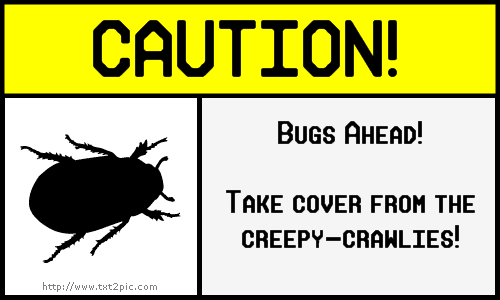
Another fact about me: I HATE BUGS!! This sign that I created on The Sign Generator is one that I wish would be posted whenever bugs were present, especially spiders!  I know that would be slightly impossible, seeing as bugs are everywhere, but hey, a girl can dream!


I think this may be the cutest thing I have ever seen!  I have always wanted to carve mine and my boyfriend's name in a tree, but the closest I have ever gotten is writing our names in the sand.  However, the water will eventually wash away the sand, but a tree carving lasts forever.  I guess chalk it back up to my romantic side.  I think this is a symbol of innocent, true love:]

This activity was just a fun escape from the other hassles of learning about technology.  These required no skills; even a child could create an image.  In that way, this would be a good tool to use in a first- or second- grade classroom, where children may not be as advanced in their computer skills (even though most of them will probably know more about computers than I do!).  It can be used for an art lesson, obviously.  Or, it can be used in a Spelling or Reading lesson.  The children can create their own comic strip using spelling or vocabulary words.  These online image generators are a fun way to liven up the classroom, and students will love playing with them!


KBearden:]


Friday, February 11, 2011

Thing 8: Flickr and Mashups!

letter K Block Lowercase Letter a letter Y letter Eletter A 

This is awesome!  I could spend hours on these sites, creating fun images and activities.


Hello? How cool is it that you can create puzzles from any of your pictures? You can take a picture of your face and make it a puzzle.  Now that is awesome!

It is amazing to me that technology exists that allows you to manipulate photos like this.  There are many applications to Flickr like I mentioned in my Thing 7 post.  With the photo journaling, you could extend the project to a month or even an entire year.  Students could upload photos from their week: just regular photos they took, or mashups that reflect their mood and perspective on life.  They could then have a written journal, describing the photos and why they decided to include them in their photo diary.  This would be a good way to assess students writing skills and also to encourage students to become more reflective.  Also, teachers could utilize the mashup tools to decorate their classrooms or powerpoints or really anything!  Flickr is a great tool that students and teachers alike will love exploring and using inside the classroom and beyond.

I think that sharing photos on the internet can be a fun way to stay connected, and also to forge relationships with people who have common interests.  However, students need to be aware that certain etiquette is expected, such as: no profanity, no vulgarity, etc.  Also, if you post your photos as public domain and don't have a watermark or something on them, people can (and probably will) take your photos and pass them off as their own.  It is important to safeguard your photos.  There is no problem with sharing them with others, however, you did all the work, so you should receive some credit.


KBearden:]

Thing 7: Exploring Flickr

I LOVE taking pictures.  I am always the one on the trip saying, "Hold on a second, I have to get a picture!" while everyone else just wants to go to lunch.  However, I am extremely lazy when it comes to actually getting pictures "developed" (which is really becoming obsolete) or even just uploading them to my computer and posting them on Facebook.  I know that it's as easy as popping my memory card in my USB converter thingy, but for some reason, I just procrastinate posting pictures.  The point of this tidbit of information about me is that I had never used Flickr before this activity.  I had sort of heard about it, but I had no idea what it was.  However, as soon as I got to the Flickr homepage, I was introduced to a whole new world.

Another interesting tidbit: I love looking at pictures.  Especially old or interesting ones.  Every time I vist my 92-year-old great grandmother, I peruse through her old pictures that she keeps in (I swear) hundreds of shoe boxes.  Even though I have seen these pictures many many times over the years, they never cease to fascinate me.  That's why I was so excited to see the Smithsonian and Library of Congress collection of old photographs.  There are millions of photographs dating back to the 1800's!  I was in heaven!  Another thing: I love to travel.  However, seeing as I am a college student, I have a very limited budget.  Therefore, the closest I get to traveling is looking at travel brochures.  I was very intrigued by the places tab.  You just type in any place in the world, and any photograph that has that tag will be available.  They even have pictures of Clarksville!  I can travel to the other end of the world at the click of a button.  So to combine my love of travel and old photographs, the photo I decided to upload is one of Brockton, Massachusetts from 1939:


And one from Copenhagen, Denmark, circa 1890:


The one from Denmark is a Photochrom print, which is actually a photolithograph.  They were used to capture images at the turn of the century.  These images are fascinating to me, and I could spend all day looking through the albums.  Both of these photos have no known copyright restrictions because there is no evidence of any rights holder.  This is probably because these photos were taken before copyright laws became an issue.  I bet the photographers never thought their photos would be accessible to people around the world at a click of a button!

I enjoyed using Flickr, however, I did have some issues.  I could not figure out how to upload an image to my blog directly from Flickr.  So I ended up just going to the original location of the photograph, saving the image to my desktop, and then uploading the photo to my blog manually.  I'm sure there is a much easier way to do this, but I could not figure it out.  Also, my links are to Flickr and the image, not just the image.  I could never find a URL that ended in .jpg, so I just settled for a link to the webpage.  It is also difficult to find a particular photo.  For example, in Flickr's "7 Interesting Photos", there was a picture from France that I absolutely loved.  I wanted to use it for my blog, but I accidentally clicked off the page, and it was gone!  I searched the tag "France", but I came up with over 8 million pictures.  No way I was searching through all of those!  So I just gave up.


I think Flickr could be a great tool for the classroom.  Students would love taking photos and uploading them.  An activity could be creating a photo journal for a week.  Have students take pictures of their everyday routines for a week and then write blog posts to go along with the photos.  This would get students to be creative and also strengthen their writing skills.  Also, it would be fun!  Flickr is also a good tool that students or teachers can use when researching a topic.  If a student is doing a report on the Great Depression and has to make a powerpoint or a poster, he or she could sign on to Flickr, type in the Great Depression, and find millions of great photos to choose from!

Flickr is a wonderful site and I can't wait to explore it more thoroughly!

KBearden:]

Thing 6: Yelp.com!

I was a little overwhelmed when I first saw the list of Web 2.0 Award winners, purely because of the magnitude of the choices.  At first, I was tempted to take the easy way out and choose something like Hulu or Facebook that I am already familiar with.  However, I realized that the point of this activity is to explore the Web 2.0 tools and maybe find a new favorite website.  So I chose Yelp.com, solely because I thought the name was intriguing.  And guess what, I found a website that I have already bookmarked:]

Yelp is an online reviews service for local eateries and attractions.  They have reviews for almost anything imaginable, from restaurants to shopping to hotels to nightlife.  It is so simple to write a review; all you do is create a free profile and start critiquing!  If you are reading a review and think the reviewer is funny or you respect their opinion, you can "follow" them, just like on Twitter.  Then, anytime they post a review, you will be alerted via your profile.  Yelp rates attractions from 1-5 based on user's ratings and reviews.  Then, the place with the highest rating is moved to the top of that category, so you can easily tell which restaurant or clothing store has been rated the best in Clarksville.  You can type in any zip code and instantly find attractions anywhere in the country.  Yelp would be very useful for planning a trip.  Just type in the zip code, and you have a list of the best places to eat, shop, and go for entertainment in town!  Actually, I plan on using Yelp to plan my spring break trip to Gulf Shores.  No staying in dumps for me:]


While Yelp may seem like it would be more for your personal life than a school setting, I can think of many ways it can be used as an educational tool in the classroom.  Students can be required to create a review about a local restaurant and post it on Yelp.  This would help their writing skills, since the entire world can view what they wrote, hopefully they would want their review to sound educated.  It could also be used in a lesson on being objective.  It is easy to bash a place that you didn't like.  However, a review is much more credible if it lists the things that need improving, but also has a positive spin.  Another way Yelp could be used is in a geography lesson.  Students could be assigned a city such as Dallas, TX or Seattle, WA.  They would have to find a hotel, restaurant, cultural attraction, etc. that best represented that city.  Students could then create an itinerary for a trip to their particular city, or even create a travel brochure.  The ideas are endless!


I am glad I got a chance to see different Web 2.0 tools that I otherwise probably would have never known existed.  After browsing through the list, I have already found many more sites that I can't wait to explore!


KBearden:]

Thing 5: School 2.0

Who would have thought even ten years ago that our world would be so dominated by the internet?  Whenever I talk to my parents about when they were growing up and in school, they always tell me how they never even imagined there could be anything like computers or the internet.  They had to actually go to the library and check out BOOKS (I know the concept is foreign to most people) and type their assignments on a typewriter.  Most of the people in my generation have never even seen a typewriter! As a so-called "digital-native", someone who has grown up with technology, I cannot even imagine a world without computers and the internet and HDTV and all the other things we take for granted every day.  It is hard to think that in 10 years, all the technology we are using right now might possibly (and probably will be) obsolete.  However, I'm sure my parents never thought anything could top the electric typewriter!

As for School 2.0, I think that is a fancy term for the inevitable.  If schools do not jump on the technology bandwagon, they will be left behind.  I know a lot of older teachers are resistant to even use email.  Completely reinventing your teaching style to accommodate changes in technology has to be daunting, but sometimes change is good.  The truth is, technology is making teaching not necessarily easier, but definitely less stressful.  There are so many wonderful resources for teachers on the internet.  The possibilities are endless!  You can talk to other teachers to get ideas about lesson plans, worksheets and activities can be printed off the internet, students can learn on their own and even be assessed on a computer!  Teachers need to stop resisting technology and embrace it to enrich their classrooms and their students' learning experiences.


As for schools of the future, who knows where we will be in terms of technology even 5 years from now.  Once I get my own classroom, there might not even be a whiteboard anymore.  Who knows?!  Students are exposed to technology in every aspect of their lives outside of school, so when they come to school, they expect the same.  If we don't provide positive outlets and opportunities to use technology to enrich learning, students will be bored and uninterested in school.  I think that tools such as TeacherTube, Flickr, GoogleMaps, etc. are wonderful resources that should be utilized to their full extent to create a learning environment that is relevant.


KBearden:]